


Graphics card repair in Prague – we repair at component level
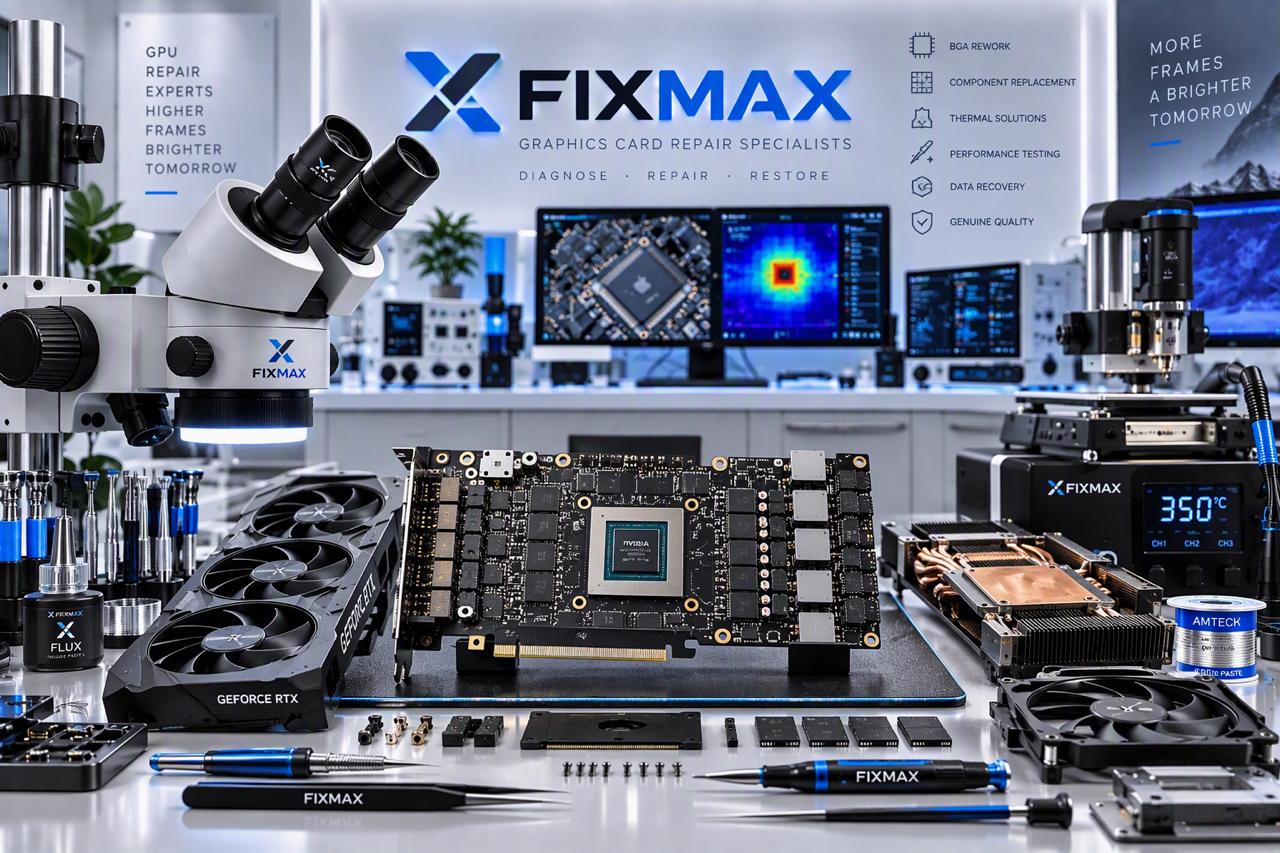
The FixMax service centre repairs desktop graphics cards and laptop GPU chips. We do not replace the whole card unless necessary – we find and repair the specific faulty component.
We service NVIDIA GeForce, AMD Radeon and Intel Arc graphics cards from all manufacturers (ASUS, MSI, Gigabyte, Palit, Zotac, Sapphire, ASRock and others), as well as dedicated graphics in gaming and workstation laptops.
We work with microscopes and infrared soldering stations. Every card is tested under load after repair. All work comes with a warranty of up to 12 months.
Your graphics card shows no picture, displays artifacts or shuts down under load? Bring it to FixMax!
 BIOS flashing
 Virus removal
 GPU chip replacement
 Connector replacement
 SSD replacement
BIOS flashing
Virus removal
GPU chip replacement
Connector replacement
SSD replacement
Graphics card repair in Prague, types of work:
✔ Graphics card diagnostics
We measure the power rails, check the GPU, VRAM and VRM and find the real cause of the fault.
✔ Power and VRM restoration
Replacement of burnt MOSFETs, PWM controllers, chokes and capacitors – the most common reason a card will not start.
✔ GPU and VRAM replacement
Replacement and reballing of the graphics chip and memory chips in case of artifacts, driver crashes and memory errors.
✔ HDMI and DisplayPort connector repair
Replacement of damaged or torn-off video connectors, restoration of signal lines.
✔ Graphics card BIOS recovery
Recovery of damaged or incorrectly flashed graphics card firmware.
✔ Cooling cleaning and maintenance
Replacement of thermal paste and thermal pads, heatsink cleaning, fan replacement – fixes overheating and noise.
✔ GPU chip in a laptop
Replacement of the GPU chip and VRAM chips in laptops, including gaming models.
✔ Power surge and liquid damage repair
Thorough cleaning, corrosion removal and restoration of damaged circuits and components.
Signs of a faulty graphics card
✔ The computer runs and the fans spin, but there is no picture
✔ Artifacts, stripes or coloured dots on the screen
✔ Driver crashes and a black screen in games or while rendering
✔ The computer shuts down or restarts under load
✔ The card is not detected by the system or reports an error (e.g. Code 43)
✔ Overheating and noisy fans
✔ A burning smell after a power surge or after connecting a different power supply
How graphics card repair works at FixMax
1. Drop-off and consultation
We record the condition of the card and the description of the problem and discuss possible causes of the fault.
2. Diagnostics
We measure the power rails, test the GPU and memory and identify the faulty components.
3. Price approval
We tell you the cause of the fault, the final price and the turnaround time. We only start the repair after your approval.
4. Component-level repair
We replace or repair faulty parts using original or certified components.
5. Load test
We check stability, temperatures and all video outputs. Only then do we hand the card back.
Common graphics card faults by series
NVIDIA GeForce RTX 40 and RTX 50
On high-end cards such as the RTX 4070 Ti, 4080, 4090, 5080 or 5090 we often see a damaged 12VHPWR / 12V-2×6 power connector – pins melted by a cable that was not fully seated. The second typical fault is mechanical damage: the heavy card sags in the case and the solder joints under the GPU or memory crack. We replace the connector and measure the power circuits behind it, because an overheated connector often damages them too.
NVIDIA GeForce RTX 30
On the RTX 3080 and RTX 3090 the GDDR6X memory overheats, usually because of degraded thermal pads. The symptoms are artifacts, driver crashes and throttling. On RTX 3060 to 3070 cards we often fix faulty MOSFETs in the VRM, and cards that ran nonstop for years – with worn fans and dried-out paste.
AMD Radeon RX 6000 and RX 7000
Typically a high hot spot temperature, VRM power failure and damaged video connectors. On some reference RX 7900 XTX cards the overheating is caused by a faulty vapour chamber in the cooler.
Intel Arc A and B
We also repair Intel Arc A580, A750, A770, B570 and B580 cards. They get the same kinds of faults as other brands: VRM power failure, damaged video connectors, overheating due to dried-out paste or degraded thermal pads, and worn fans.
Older cards – GTX 10, GTX 16, RX 500
Dried-out capacitors, loose BGA joints under the GPU or memory, and worn-out fans. Whether the repair is worth it depends on the fault – we will tell you right after the diagnostics.
Laptop graphics
In a laptop the dedicated GPU is soldered directly onto the motherboard, so this is a motherboard repair. See laptop repair and motherboard repair for details.
Repair or a new graphics card?
On newer and more expensive cards, repairing the power circuits, the connector or the memory usually costs a fraction of a new card. For cheap older cards we will tell you honestly after the diagnostics whether the repair makes sense. If it does not pay off, we say so and do not do the repair. Diagnostics are free if we then do the repair.
Before you bring the card in
If you are not sure the graphics card is the faulty part, bring the whole computer – the fault may also be in the power supply or the motherboard. Note when the problem shows up: in games, while rendering, after overclocking or after replacing the power supply. And please do not “bake” the card in an oven – it may help for a short while, but it damages the joints and components and makes a proper repair more expensive.
Graphics card repair in Prague - prices:
Graphics card repair prices
| Diagnostics and troubleshooting (if the repair is then done at our service centre) | from 0 CZK |
| Graphics card (GPU) replacement or repair | from 2500 CZK |
| GPU chip and VRAM chip replacement in a laptop | from 3500 CZK |
| Power circuit and VRM module restoration | from 1500 CZK |
| Graphics card BIOS update | from 1500 CZK |
| HDMI port replacement or repair | from 800 CZK |
| Cooling system cleaning | from 600 CZK |
Graphics card repair in Prague – important information:
-
All prices are starting prices and depend on the card model and the complexity of the work
-
We set the exact price after diagnostics
-
We carry out repairs only after the customer approves them
-
All work comes with a warranty of up to 12 months.
Graphics card repair in Prague - our advantages
Graphics card repair FAQ
Do you repair cards that were used for crypto mining?
Yes. Such cards usually need new fans, thermal paste and pads, and a check of the VRM power circuits.
Can I bring just the graphics card without the computer?
Yes, we test the card under load after the repair. If you are not sure where the fault is, better bring the whole computer.
The card is still under the seller’s warranty – what should I do?
Make a warranty claim with the seller first. Work by another service may void the manufacturer’s warranty.
Will replacing the thermal paste help?
With overheating, noisy fans and throttling it often does. If the card gives no picture or shows artifacts, the cause is usually in the power circuits, the memory or the GPU.
How long does the repair take?
We will tell you the timeframe after the diagnostics. It depends mainly on the fault and on the availability of parts, such as memory chips or the GPU.
How much does a graphics card repair cost?
Cooling system cleaning from 600 CZK, VRM power repair from 1500 CZK, GPU repair or replacement from 2500 CZK. We set the exact price after the diagnostics and only do the repair with your approval.


Repairs in Prague – see our work
Want to know the exact price of your graphics card repair?
Write to us through the online consultation form or visit the FixMax service centre — our technicians will run free diagnostics and tell you the price on the spot.
Other services: computer repair in Prague and laptop repair in Prague.